Home-Office Cable Management That Remains Easy to Change
Modern home offices demand flexibility, but tangled cables and hasty fixes can quickly turn a productive space into a source of stress. Effective home office cable management isn’t just about hiding wires—it’s about creating a system that adapts as your tech evolves. This practical guide walks you through flexible, safety-minded steps to keep your workspace tidy and your devices accessible, without locking yourself into a rigid setup.
Few things undermine a home office faster than a tangle of cords underfoot or behind your desk. As you add monitors, smart plugs, and charging docks, cables multiply—and so do trip hazards, dust traps, and fire risks. The trick isn’t just to hide wires, but to make sure your home office cable management system can change as your tech does. Flexible solutions keep upgrades easy and cut down on the time you’ll spend untangling later. Every new device or peripheral you bring in adds another wire to the mix, so a system that can be reconfigured without much effort is key to keeping your workspace functional and safe.
Step 1: Map Your Power and Data Needs
Before corralling any cords, sketch your workspace and note where outlets, surge protectors, and internet ports are. Consider what needs to be plugged in all the time versus what’s only occasional. This map will help you avoid overloading outlets—a safety risk highlighted by the U.S. Consumer Product Safety Commission—and guide where you’ll anchor or run cables. If you find you’re short on outlets, resist daisy-chaining power strips; instead, call a licensed electrician to safely add capacity. For more on safe home setups, see https://www.cpsc.gov/Safety-Education/Safety-Guides/Home. As you plan, think about how often you swap out equipment, and leave extra space on your power strips for future tech. This step also helps you anticipate which cables need to be most accessible, so you can avoid crawling under your desk every time you need to unplug something.
Step 2: Choose Change-Friendly Cable Tools
Rigid trunking and permanent adhesive clips might look tidy but make future changes a headache. Instead, opt for reusable cable ties, hook-and-loop straps, and under-desk trays that allow you to add or remove wires without damaging furniture. Cord sleeves and flexible raceways can group cables but should be easy to open. Label both ends of every cord—when you swap a monitor or router, you’ll thank yourself. Color-coded labels or simple masking tape with handwritten notes can prevent confusion later. Velcro-style ties are especially useful when you need to add or remove a cable quickly. Consider a cable box for surge protectors, but choose one with a removable lid so you can adjust as needed. Avoid taping cables directly to surfaces, as adhesive can degrade and leave residue, and makes future rearrangement more difficult. As your setup evolves, these flexible tools let you keep things neat without starting from scratch.
Step 3: Keep Cables Off the Floor (But Not Out of Reach)
Cables left on the floor invite dust, mold, and tripping. Use adhesive mounts or desk grommets to lift power strips and chargers off the ground. Leave a little slack near plugs and devices to reduce strain but avoid long, looping coils that attract dust and moisture. Regularly vacuum or wipe these areas to maintain indoor air quality—see EPA guidance at https://www.epa.gov/indoor-air-quality-iaq. If you spot any frayed or damaged cords during cleaning, replace them immediately to prevent fire hazards. Keeping cables elevated also makes it easier to clean under your desk and spot any potential issues early. For shared workspaces or family offices, keeping cords off the floor also reduces the risk of someone accidentally unplugging or tripping over your setup. If your desk has a cable tray, use it to group cords together, but avoid overstuffing. For areas prone to moisture or humidity, check periodically for signs of mold or mildew and follow EPA cleanup guidance if needed: https://www.epa.gov/mold/mold-cleanup-your-home.
Step 4: Plan for Airflow and Heat
Bundling too many cables together can trap heat, especially around power adapters and surge protectors. Leave space between bundles and avoid running cords over radiators or heat vents. Overheating cables aren’t just inefficient—they’re a safety risk. Maintain clear airflow behind your desk and around electronics to keep both air and tech cool. For more on keeping your workspace healthy, see the EPA’s indoor air quality advice: https://www.epa.gov/indoor-air-quality-iaq. When grouping cables, use open cable trays or loosely fastened ties to allow air circulation. If you notice any power bricks or adapters feeling hot to the touch, move them to a more ventilated spot and check that they’re not covered by other cords or objects. For larger setups with multiple monitors or desktop computers, consider spacing out power strips or using wall-mounted shelves to keep heat-producing equipment separated. Regularly dust fans and vents on your electronics to prevent overheating and maintain efficiency.
Step 5: Integrate Smart Plugs and Future Devices
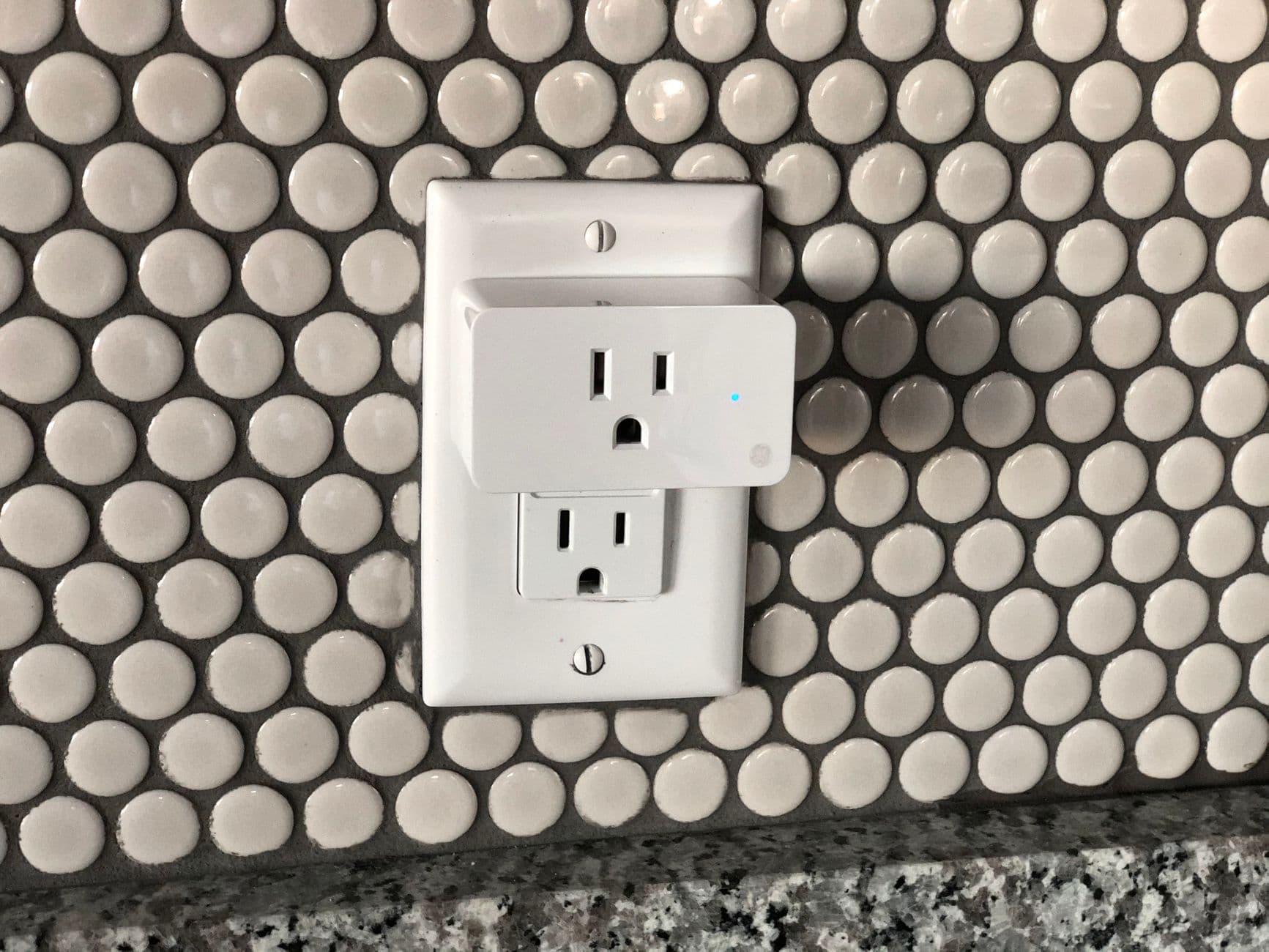
Smart plugs and connected lighting add convenience, but each new gadget brings its own cable. When expanding your smart home setup, dedicate a surge-protected power strip just for smart devices and keep it accessible for resets or upgrades. Use modular trays or baskets that can be rearranged as your system grows. If you’re planning to add voice assistants, smart speakers, or other IoT devices, group their cords together so you can easily unplug or relocate them as needed. When setting up new devices, measure the length of each cable to avoid unnecessary slack that can clutter your workspace. For surge protection, check the latest recalls at https://www.cpsc.gov/Recalls before purchasing new strips. Keeping your smart device cables organized and accessible means you can troubleshoot or upgrade your system without disrupting the rest of your setup. As technology evolves, having a dedicated area for new devices makes it simple to adapt without a major overhaul.
Step 6: Build in Quick-Change Zones
Designate one area—like a desktop edge or side shelf—as your quick-change zone for chargers, USB hubs, or shared devices. Use removable clips or a small basket here so you can swap out cables for guests or new tech without undoing your entire setup. This prevents the rest of your cable management from unraveling every time you add or remove a device. For example, keep a few spare USB cables and a universal charger in this zone for visitors or temporary equipment. If you often switch between work and personal laptops, set up a docking station or a labeled set of cables that can be quickly swapped. This approach is especially useful in shared households or for those who frequently test new gadgets. By containing changeable connections to a single spot, you keep the rest of your cable system stable and tidy.
Step 7: Schedule Seasonal Checks and Safety Sweeps
Home office cable management isn’t a set-and-forget task. Every few months, unplug and inspect your cords for wear, dust buildup, or signs of overheating. Use these check-ins to reroute or remove unused cables, reducing fire risk and improving air quality. If you discover persistent moisture or musty smells, check for mold and follow EPA cleanup guidance at https://www.epa.gov/mold/mold-cleanup-your-home. If you’re unsure about electrical safety or spot sparking, call a professional immediately. During your sweep, dust off power strips and vacuum around cable trays, paying special attention to hidden corners where debris collects. Take the opportunity to test surge protectors and replace any that no longer function correctly. If you’ve recently upgraded equipment, remove any obsolete cables to prevent clutter and confusion. These seasonal reviews keep your workspace safer and help you adapt to changing needs.
When to Replace, Not Just Rearrange
If a cable is cracked, deeply kinked, or feels hot to the touch, don’t just move it—replace it. Always check for product recalls before buying new surge protectors or power strips, as faulty devices are a common source of home fires. The U.S. Consumer Product Safety Commission maintains an updated recall database at https://www.cpsc.gov/Recalls. When disposing of old cables, recycle them at an electronics drop-off to avoid environmental harm. If you’re unsure whether a cable is safe, err on the side of caution and replace it. For surge protectors, look for models with automatic shutoff and indicator lights that show when protection is active. If you notice a burning smell or see scorch marks on outlets or plugs, shut off power and consult an electrician. Keeping only safe, functional cables in your home office reduces risks and ensures your devices perform reliably.
Routine Upkeep for a Flexible Workspace
Once your cable management system is in place, small habits make a big difference. Coil up spare cables and store them in a labeled box or drawer for easy access. Whenever you add a new device, take a minute to label its cord and decide where it fits in your setup. Encourage family members or coworkers who share the space to follow the same system, so everyone knows where to find and return cables. If you work from multiple locations, keep a portable cable organizer in your bag to avoid mixing up cords. For those with pets or children, consider using cable covers or tubing to prevent chewing or accidental unplugging. By making cable tidying part of your regular routine, you keep your workspace adaptable and frustration-free.
Conclusion: Flexible Order, Lasting Calm
A well-managed home office cable system is more than a visual upgrade—it’s about creating a workspace that adapts with you. By choosing flexible tools, planning for change, and prioritizing safety, you’ll spend less time untangling and more time focusing on what matters. Let your cable management evolve as your work and tech do, and your home office will remain both tidy and future-ready. The effort you put into a flexible, safety-first approach pays off every time you add, remove, or rearrange your devices.
Scarlett Hayes writes TopicFlex's tools, organization, and smart-home basics. She explains product categories, storage systems, and beginner-friendly automation ideas.
If you’re looking to automate your home lighting with smart plugs, it’s important to know where to start and how to avoid common safety pitfalls. This guide walks you through the essentials of choosing, installing, and safely using smart plugs for lighting, so you can enjoy automation without risking fire or electrical hazards.
When clutter keeps returning to the same corners, a zone storage labeling system can make the difference between perpetual tidying and lasting order. This walkthrough details how to define activity-based zones, choose the right containers and labels, and maintain safety, clarity, and efficiency for all household members—without overcomplicating or losing sight of real-life routines.
Keys under mail, shoes in the walkway, bags blocking the door—most entryways need a system, not another basket. Here is how to design a drop zone that matches how your household actually comes and goes, keeps exits clear, and stays usable week after week.
You do not need a subscription app to track filter changes, smoke alarm tests, or repair receipts. A simple binder or accordion folder—kept somewhere you will actually see it—can hold everything you need for safety checks, recalls, and insurance claims.
When a pipe bursts or you smell gas, you need to know where the shutoffs are—not guess. A simple utility map, posted where everyone can find it, gives your household a clear plan before a crisis hits.